


Manage All Your Business QR Processes from a Single Platform
Create, manage, and analyze dynamic QR codes — and deliver smarter experiences to your customers with Apple Wallet and Google Wallet.
Dynamic QR
Apple Wallet
Advanced Analytics
Vector QR
- No credit card required
- Start using it right away
- 14-day trial
DYNAMIC QR CODE TYPES
Dynamic QR Codes You Can Update
QR code types whose content you can change after printing and whose scans you can track. Pick the one that fits your needs.
Business Card QR Code
Update your details without reprinting your cards; contacts save to the phone in one tap.
Create →URL QR Code
Change the destination address any time without touching the printed QR code.
Create →Menu QR Code
Update prices and dishes instantly, with no need to reprint your menu.
Create →Product QR Code
Share manuals, videos and technical details right from the product.
Create →Mobile App QR Code
Send users to the App Store or Google Play with a single QR code, based on their phone.
Create →Social Media QR Code
Bring all your social media accounts and links together in one QR code.
Create →PDF QR Code
Share catalogs, brochures and documents, and replace the file later.
Create →Form QR Code
Collect applications, surveys and feedback via QR and view responses in your dashboard.
Create →Photo QR Code
Share your photo gallery with one QR code and refresh it whenever you like.
Create →Invitation QR Code
Add the location, date and schedule to your wedding or event invitation.
Create →Pet Tag QR Code
When someone scans the tag, they can reach you and help your pet get home.
Create →Lost & Found QR Code
If your keys, bag or luggage go missing, the finder scans the QR code to reach you.
Create →Not sure which one to choose?
Try every type free for 14 days, no credit card required.
QR Code Generator
As a QR code creation site, our services allow you to create Smart QR codes tailored to your needs in minutes. Static codes are free, while dynamic codes offer advanced analytics and URL update capabilities.
Business Card QR Code Generator
Static Business Card QR Codes let you share your contact information digitally through a single scan. After scanning, recipients can save your contact details to their address book with one tap. Ideal for meetings, business interactions, and networking events.
Learn moreDynamic URL QR Code
Update your link anytime, track scan analytics, and edit content without reprinting. Print once, change content forever.
Sign Up Free & Start ➔PDF QR Code
Share your PDF documents through a QR code. When you update the file, the QR code stays the same — ideal for brochures and catalogs.
Sign Up Free & Start ➔Social Media QR Code
Combine all your social media profiles into one QR code. Instagram, LinkedIn, Twitter, TikTok, and more.
Sign Up Free & Start ➔Choose dynamic QR codes over static ones to access these features:
click Generate.
Why Choose Qrcodeg?
Dynamic QR
Change all the content whenever you want.
Apple Wallet
Add your business card to Apple Wallet with one tap.
Fair Pricing
Low cost whether you buy a single code or in bulk.
Analytics
Live analytics and detailed reports.
API & Webhooks
Powerful APIs to speed up your workflow.
White Label
Use your own domain and branding.
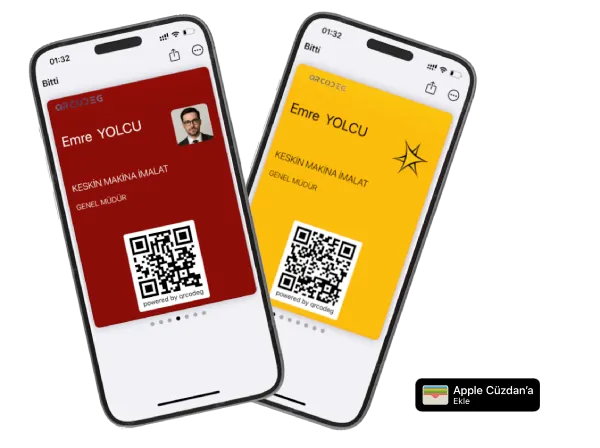
Your Business Card Now in Apple Wallet
Your Digital Business Card QR code is now always with you. We can't say one tap – because it only takes 2 taps on your iPhone's side button and your business card is ready.
To get your Business Card Pass:
Create Your QR Code
Sign up and create your Business Card or Social Media & Multi-Link QR code.
Download the File
Download your file and send it to yourself via email.
Add to Apple Wallet
Tap the email attachment and add it to Apple Wallet.
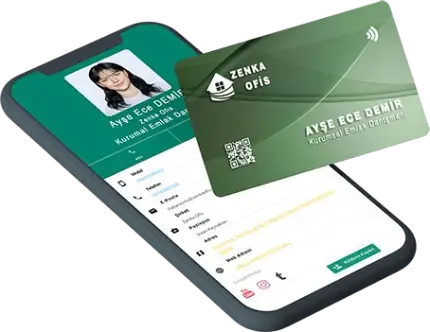
Digital Business Card
Digital Business Cards are next-generation business cards developed as an alternative to traditional printed cards. In addition to NFC technology, Dynamic QR code technology can also be used.
Switch to contactless business cards - either custom printed to match your corporate image or cost-effective ready-printed options.
Save on business card costs with NFC contactless cards while also contributing to the environment.



Free QR Codes
Business Card QR Code
Share your contact details; people save them to their phone in one tap.
Create free →Text QR Code
Show a short text instantly, no internet connection needed.
Create free →Email QR Code
Opens an email with the recipient, subject and message already filled in.
Create free →SMS QR Code
Opens a ready-to-send text message to your number.
Create free →WiFi QR Code
Guests join your WiFi network without typing the password.
Create free →Event QR Code
Adds your event’s date, time and place to the calendar.
Create free →Location QR Code
Opens your address directly in the maps app.
Create free →X (Twitter) QR Code
Takes people straight to your X (Twitter) profile.
Create free →WhatsApp QR Code
Starts a WhatsApp chat with you, with an optional pre-filled message.
Create free →Facebook QR Code
Takes people straight to your Facebook page or profile.
Create free →Creative
Solutions
Create your QR code now for creative solutions that will simplify your life and boost your business power.
Free QR Codes
Create free QR codes with static QR codes and use them unlimitedly.
QR Codes
Be accessible by creating updatable and trackable Dynamic QR codes.
Digital Business Cards
Make a difference with custom-printed Digital Business Cards powered by NFC technology for your company.
Choosing between QR code services?
See our honest pricing comparison with real cost calculations and hidden fees exposed.
Free QR Code Scanner
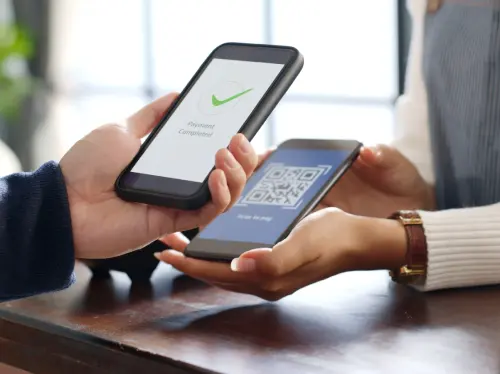
Scan dynamic and static QR codes without downloading any app, ad-free and securely. Try our web-based free QR code reader now.
Our free QR code reader prevents malicious link redirection scams thanks to its secure structure. When a QR code is scanned, it shows the link it will redirect to and only redirects after your approval.
To try our QR code reader now
Best Selling QR Codes
The most preferred and popular QR code types among all QR codes.
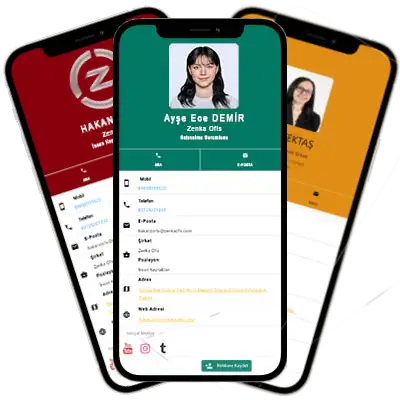
Business Card QR Code
QR Codes for updatable, smart Business Cards
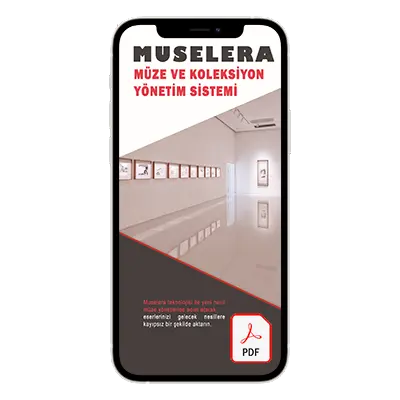
PDF QR Code
QR Codes for Catalogs, Brochures and Menus
URL QR Code
QR Codes for websites, social media and location
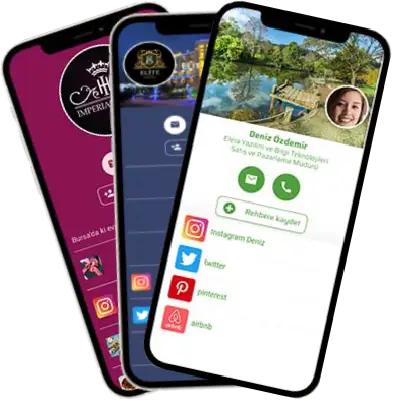
Multi-Link QR Code
QR codes for social media and multiple links, Linktree
NEW FEATURE
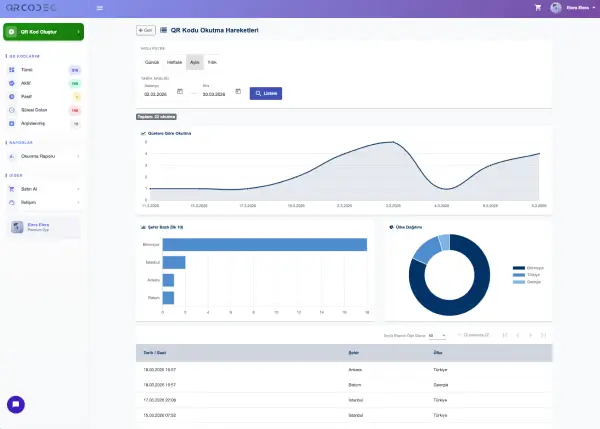
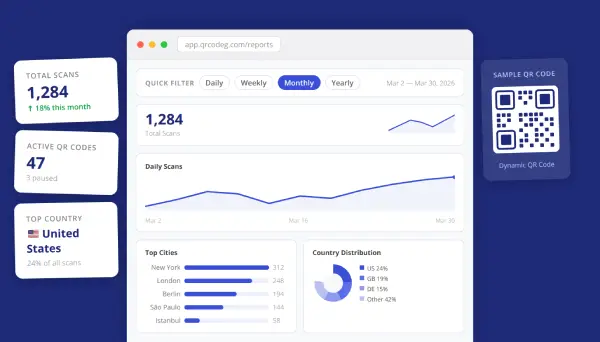
Who Scanned Your QR Codes, Where and When?
With QR Code Scanning Analytics, access the date, time, city, and country of every scan. See which campaigns are working and which regions are engaging — all visualized in clear, easy-to-read charts.
QR Hits Report
Full scan history, location and time breakdown for a single QR code.
Scan Summary Report
Compare all your QR codes on one screen and spot your top performers.
Quick Info
What is a QR Code?
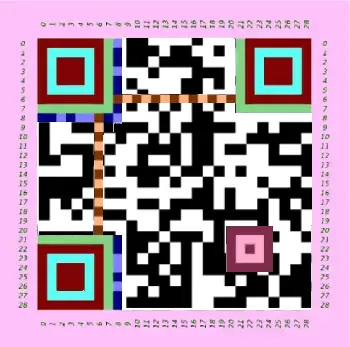
QR Codes, short for Quick Response Code, are an advanced version of barcodes that have been used on products for many years. QR codes have become widespread due to their ability to hold more data than traditional barcodes.
Thanks to being scannable not only with QR code reader devices but also with mobile phone cameras, they have started to be used in every field. The most common uses include business cards, product labels, restaurant menus, and product and service price lists.
QR Code Types
Our site offers both dynamic QR code generation solutions that allow content updates and static QR code creation options ideal for fixed data. Below, you can examine in detail when each approach stands out and what you need to consider—including their advantages and disadvantages. Read our detailed Dynamic QR vs Static QR Page
Dynamic QR Codes
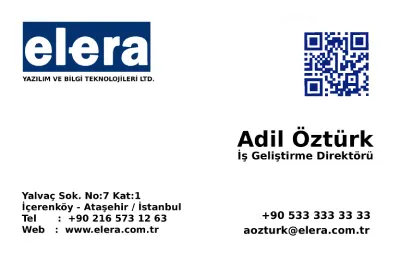
A Dynamic QR Code allows unlimited content management thanks to data being stored in the cloud. You can instantly update and present files such as PDFs, images, menus, and product information to users. During the QR code generation process, your data is not embedded in the QR code itself. Instead, it connects to a secure server. Thus:
- Content can be updated: Even in printed materials, if the link changes, users are directed to the most current page.
- Provides flexibility: You can present different content through the same QR code on business cards, price lists, restaurant menus, and brochures.
- Increases efficiency: Personnel changes or link updates are applied instantly without the need to print new codes.
For example, when your static QR Code redirects to a YouTube video and the video is deleted, the code becomes useless. However, with a dynamic QR code, you can update the video URL and continue to safely use all your printed materials. This feature ensures that your QR code generation investment is long-lasting and provides an uninterrupted user experience.
Free QR Codes
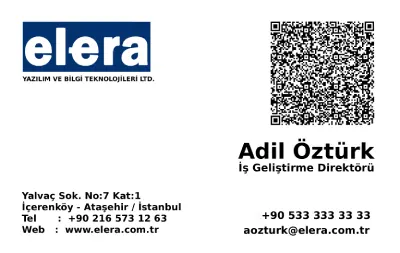
QR Code Generation: Static QR Codes A Static QR Code stores content directly within the QR code itself. Therefore, data cannot be changed after creation. It is ideal for combining business card, URL, SMS, WhatsApp, or location information in a single code. Key features of static QR codes:
- Ease of use: Instant QR code generation with free tools.
- Permanent data: Lifetime redirection to the same content after the code is generated.
- Space limitations: As data increases, QR code density rises. For example, long texts or multiple contact information affect the printable size of the code.
The disadvantages of Static QR Codes include the inability to change content after printing and the need for reprinting due to incorrect data that cannot be corrected. Therefore, you need to carefully check your data during QR code generation. This ensures uninterrupted use of your printed brochures and business cards.
Get in Touch
Contact us now to get detailed information about our products and services and become our user.

Is QR Code Generation Paid?
Static QR codes are completely free and can be used for a lifetime without any time or scan limits. Since all data is embedded directly within the QR code itself, they do not depend on any external platform, server, or subscription. This makes static QR codes an ideal solution for permanent and unchanging content.
Dynamic QR codes, on the other hand, are a cloud-based service and require a paid subscription. They allow the content to be updated without reprinting the QR code and provide advanced analytics such as scan counts, dates, locations, and device information. Dynamic QR codes are purchased on a yearly basis and can be licensed for up to 10 years, depending on your needs.
Are Logo and Patterned QR Codes Practical?
Embedding a logo inside a QR code or using patterned QR code designs can increase the risk of scanning issues compared to standard QR codes. In particular, devices with lower camera quality or scanners designed only for basic QR code reading may have difficulty detecting these types of QR codes or may fail to scan them altogether.
For this reason, to ensure higher reliability and broader device compatibility, we recommend using single-color QR codes without logos.
What Sizes Can QR Codes Be Printed In?
The print size of static QR codes varies depending on the type of code and its intended use. For QR codes printed on small surfaces such as business cards, a minimum size of 2 cm is recommended to ensure optimal scanning performance.
Dynamic QR codes offered by Qrcodeg can be printed at sizes as small as 0.5 cm; however, for the best and most reliable scanning experience, a minimum size of 1 cm is recommended. In addition, thanks to our vector QR code download option, QR codes can be scaled to any size without loss of image quality.
How Can I Renew an Expired QR Code?
Expired and deactivated QR codes are retained in our systems for a limited period of time and can be reactivated once payment is completed. However, no specific retention period is guaranteed, and QR codes that are not renewed may be made available for resale.
Deactivated QR codes can be reactivated through the user dashboard by purchasing credits and clicking the “Activate” button in the QR code list.
Are QR Codes Safe?
QR codes are generally safe and carry similar risks to clicking on search results after performing a query on a search engine such as Google.
Scanning QR codes generated by trusted and well-known sources helps minimize potential risks. After scanning a QR code, it is important not to enter sensitive information on the opened pages and to avoid installing applications from sources other than official app stores.
Which File Format Is Best for Printing QR Codes?
At Qrcodeg.com, dynamic QR codes are provided in PNG and SVG file formats. While PNG files are suitable for use on websites and digital platforms, the SVG vector format is recommended for print purposes. Vector-based files can be scaled to any size without loss of quality, ensuring sharp and reliable QR code scanning in printed materials.
What Is a QR Code and How Does It Work?
QR codes are two-dimensional barcodes that store data such as URLs, text, contact information, or files. When scanned with a smartphone or QR code reader, the encoded information is instantly decoded and displayed. QR codes eliminate the need for manual data entry and enable fast, contactless access to digital content.
What Is the Difference Between Static and Dynamic QR Codes?
Static QR codes contain fixed information that cannot be changed after creation. Dynamic QR codes, however, allow the destination content to be updated at any time without reprinting the QR code. Dynamic QR codes also provide scan analytics and advanced management features.
Can I Edit a QR Code After Printing It?
Only dynamic QR codes can be edited after printing. The destination content can be updated through the dashboard without changing the printed QR code itself. Static QR codes cannot be modified once generated.
Do QR Codes Expire?
Static QR codes never expire. Dynamic QR codes remain active for the duration of the purchased license. Once the license expires, the QR code can be renewed and reactivated through the user dashboard.
Do I Need an App to Scan QR Codes?
Most modern smartphones can scan QR codes directly using the built-in camera app, without the need for additional software. For older devices, a free QR code reader application may be required.
Can I Use QR Codes for Commercial Purposes?
Yes, QR codes can be used for marketing, packaging, menus, business cards, and other commercial applications, depending on the selected plan.