


Free WiFi QR Code Generator
WiFi QR codes are the easiest way to connect your guests to your network effortlessly. These QR codes are a digital solution that offers free and lifetime usage, enabling you to quickly share your WiFi network name and password.
Qrcodeg.com enables you to create your WiFi QR code securely, quickly, and in a user-friendly way for easy internet access for your guests.
Want to update your QR code content?
Static QR codes remain fixed after creation. Consider switching to Dynamic QR Codes to update your link anytime.
WiFi QR Code Generator
What Are WiFi QR Codes?
WiFi QR codes are digital solutions that enable you to easily share your network name and password. These QR codes allow your guests or customers to automatically connect to the WiFi network by simply scanning the code, without entering any additional information. You can create these codes freely and unlimitedly through platforms like qrcodeg.com.
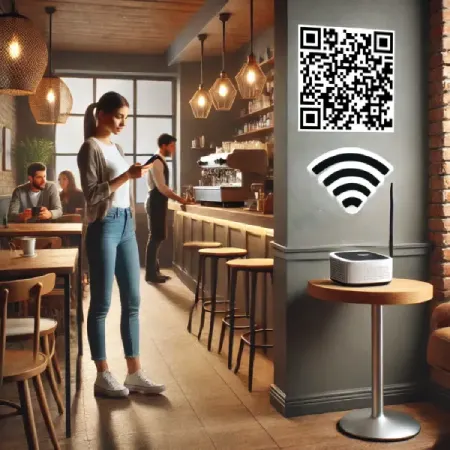
To see an example QR code, you can scan the QR code in the image. To scan QR codes securely, you can use https://qrcodescanner.qrcodeg.com/ to safely scan QR codes without installing an app.
WiFi QR codes are secure. After scanning a WiFi QR code, the scanner is asked whether they want to join the specified network. If the scanner accepts joining the network, they can connect to the business’s network without searching for the network or entering a password.
Can be used in any environment such as cafes, restaurants, offices, shops, and gas stations. Can be printed on menus to provide customers with easier internet access.
Advantages
- Free and Unlimited: WiFi QR codes can be created at no cost and used unlimited times. Especially in places like cafes, restaurants, and hotels, it enables your guests to connect to the internet easily.
- Ease of Use: Creating WiFi QR codes is quite simple. With user-friendly interfaces, you can create your own QR code with just a few clicks.
- No Technical Knowledge Required: The code creation process requires no special technical knowledge. It’s a tool everyone can easily access.
Disadvantages
- Complexity and Scanning Difficulty: As the amount of data in a QR code increases, the code can become complex and may be difficult to scan with some low-resolution cameras. Therefore, ensure the area where the code will be printed is sufficiently large.
- Unchangeable: The content of static WiFi QR codes cannot be changed after creation. When your network name or password changes, you need to create a new QR code.
- Security Risks: Network information shared via QR codes can fall into the hands of malicious individuals. Therefore, ensure the environments where you share the code are secure.
Use Cases
- Businesses: Ideal for providing WiFi access to your customers quickly and easily in businesses like cafes, restaurants, and hotels.
- Homes: Make it effortless for guests visiting your home to connect to WiFi. Instead of constantly sharing your WiFi information, you can enable them to connect easily by scanning the QR code.
- Events: A practical way to quickly provide internet access to participants at collective events like conferences, seminars, or meetings.
Conclusion and Evaluation
WiFi QR codes are a modern and practical tool offered by the digital age. Being free and easy to create makes them attractive for businesses and individuals. However, disadvantages such as security risks and inability to update code content should be considered. When used correctly, these QR codes can make connecting to your WiFi network more practical and faster, increasing guest satisfaction.