


'/%3E%3Cpath%20fill='%23b2b2b2'%20d='M241%20382q0%2016%2017%2026%2017%2011%2042%2011t42-11q16-11%2017-26V269H241'/%3E%3Cpath%20fill='%239f7e00'%20d='M241%20379q0%2014%208%2023%209%209%2021%209%2014%200%2021-9%209-9%209-23V269h-59'/%3E%3Cpath%20d='M241%20339v-70h59v110q0%2014-9%2023l-6%205v-68h-15v72q-8%200-14-4v-68zm59%2040c0%2022%2015%2032%2029%2032%2021%200%2030-18%2030-32v-40h-59'/%3E%3Cpath%20fill='%239f7e00'%20d='M266%20277v5h2v12h-3v-5h2v-5h-9v5h2v5h-4v9h3v18h-5v10h34v-10h-5v-18h3v-9h-4v-5h2v-5h-9v5h2v5h-3v-12h2v-5zm42%20101q0%2010%206%2017%206%206%2015%207%2010-1%2016-7%206-7%206-17v-29h-43'/%3E%3Ccircle%20fill='%230044ad'%20cx='329.5'%20cy='372'%20r='6'/%3E%3Cellipse%20fill='%230044ad'%20cx='300'%20cy='340'%20rx='16'%20ry='21'/%3E%3C/svg%3E)
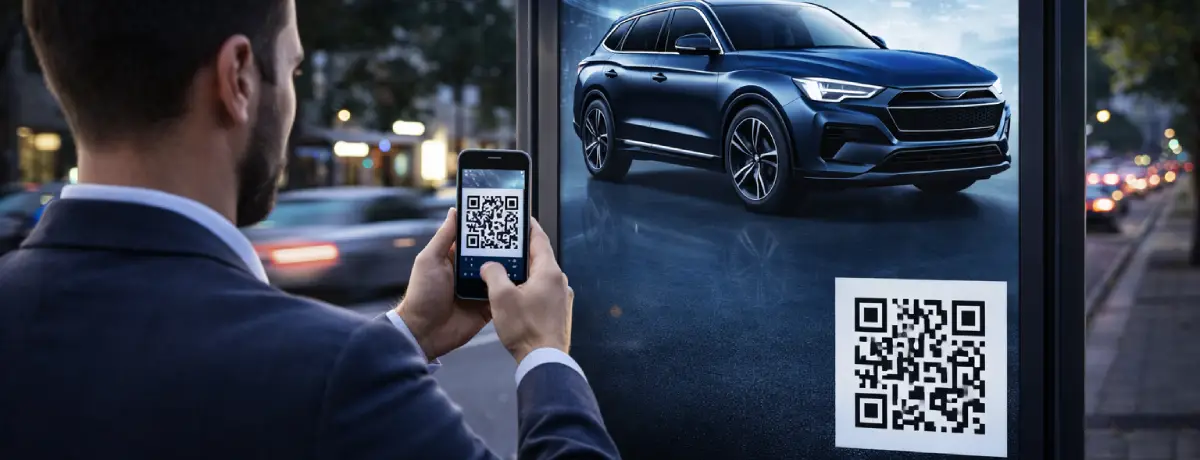
Is It Safe to Scan This QR Code? A 30-Second Check
Short answer: scanning a QR code is safe in itself. A QR code only points to content; the risk is where it takes you. Before you open the link, run this quick check:
- Read the link preview. Your phone camera shows the web address before opening it. Check the domain carefully for misspellings or unexpected link shorteners.
- Look for a sticker. On parking meters, posters and restaurant tables, a QR code stuck over another one is a classic quishing trick.
- Be wary of urgency. “Pay now” or “your account will be suspended” next to a QR code is a red flag.
- Never enter passwords or card details on a page opened from an unknown QR code. Go to the official app or website instead.
- Don’t install apps from a QR link. Download apps only from the App Store or Google Play.
If anything feels off, don’t open the link. The rest of this guide explains each risk in detail and how businesses can make their QR codes trustworthy.
What Is a QR Code and How Does It Work?
A QR code (Quick Response Code) is a two-dimensional barcode originally developed in Japan in 1994 for the automotive industry. Unlike traditional one-dimensional barcodes, QR codes store data both horizontally and vertically in a matrix of black and white squares.
A QR code can contain various types of data such as URLs, text, email addresses, phone numbers, or app download links. Your smartphone camera or a dedicated QR reader app decodes this pattern in milliseconds and redirects you to the associated content.
There are two main types of QR codes:
- Static QR Codes: Content cannot be modified after creation. Usually free to generate, but you can’t track scan statistics.
- Dynamic QR Codes: Advanced codes whose content you can update at any time, with full scan analytics tracking. Easily created and managed through qrcodeg.com.
Is Scanning a QR Code Really Dangerous?
The most honest answer to this question is: scanning a QR code in itself is not dangerous. However, this doesn’t mean there are no risks. To frame the issue correctly, this comparison is useful:
Scanning a QR code is essentially the same action as typing something into Google and clicking on one of the results. It takes you to a web page. The real danger depends on what you do on that page.
— qrcodeg.com Security Perspective
Just as blindly clicking on search results carries risk, a user who scans random QR codes and interacts carelessly with the opened page faces similar risks. The issue isn’t with QR technology itself — it lies in user behavior.
Major cybersecurity authorities including the FBI, ENISA (European Union Agency for Cybersecurity), and national data protection agencies have issued official guidance describing QR codes not as a technology to avoid, but as one that must be used with awareness.
Main QR Code Security Risks
The source of risk is almost always the same: fake QR codes produced by malicious actors. According to Kaspersky, WatchGuard, and ENISA reports, the main threats are:
- 🎣Phishing (Quishing)Theft of usernames, passwords, and financial information via QR codes that redirect to fake bank, shipping, or shopping websites. This method is called quishing.
- 💀Malware DownloadWhen scanning a QR code, malicious apps or files may be downloaded to your device in the background. This risk is especially high with codes that direct outside official app stores.
- 💳Payment FraudIn physical locations like parking lots, restaurants, or events, a fake QR code sticker placed over a legitimate one can cause users to send payment to a different account.
- 📡Connecting to a Fake Wi-Fi NetworkA malicious QR code can connect your device to an insecure Wi-Fi network, paving the way for all your network traffic to be monitored.
- 📅Unauthorized Calendar / Email ActionsSome malicious codes can add fake events to your calendar app or create email drafts on your behalf — opening the door to social engineering attacks.
⚠️ EXTRA CAUTION IN PHYSICAL ENVIRONMENTS
Scammers can place stickers containing their own codes over legitimate QR codes. Before scanning any code, check whether there’s an additional label or signs of tampering on it.
Quishing: Phishing Attacks Delivered via QR Codes
Quishing (QR + Phishing) is one of the fastest-growing cybersecurity threats of recent years. What distinguishes it from traditional phishing attacks is that it hides the malicious link inside a square image rather than plain text. Because of this, many email security filters can’t flag such codes as suspicious.
1386
QR code fraud cases reported in 2024 (UK alone)
Source: Action Fraud UK
13×
Growth since 2019 (from 100 cases to 1,386)
Source: Action Fraud UK
2030
QR payment market expected to reach $33 billion
Source: Grand View Research
According to cybersecurity reports, quishing attacks particularly exploit the sense of trust. QR codes designed to impersonate an official-looking institution or brand catch users off guard. Kaspersky experts have also documented the rise of QR-based phishing attempts that mimic banks or streaming platforms.
🔍 3 Characteristics That Distinguish Quishing from Traditional Phishing
- 1) The link is visually hidden, so URL inspection can’t be done with the naked eye.
- 2) Email security filters and antivirus software can’t always analyze QR images.
- 3) Can easily be deployed in physical environments (bus stops, restaurants, elevators, bulletin boards).
How to Protect Yourself as an Informed User
Avoiding QR codes entirely is neither possible nor necessary. The real goal is to develop digital literacy and become a conscious user. Here are practical security steps:
Before Scanning
- Check who created the code: an unknown source, or a trusted organization?
- If it’s a physical code, check whether there are stickers, damage, or signs of tampering on it.
- Be wary of codes with pressure-inducing elements like “campaign ending soon”.
Right After Scanning
- Read the opened URL carefully; verify whether it contains the real brand name.
- Even if you see the HTTPS lock icon, inspect the full address bar.
- If the page redirects you somewhere unexpected, close it immediately.
Never Do These on the Opened Page
- Don’t enter credit card, bank account, or password information (unless you’re 100% sure of the source).
- Don’t share personal information like government ID, SSN, or address.
- Don’t approve unexpected app or file download requests.
- Don’t blindly grant permissions like camera, contacts, or SMS access.
General Device Security
- Keep your operating system and applications up to date; updates close known vulnerabilities.
- Install a reliable antivirus application on your mobile device.
- Prefer QR reader apps that show a URL preview before opening.
✅ The Golden Rule
After scanning a QR code, if you’re not sharing any personal or financial information and not downloading any files on the opened page, you’ve largely eliminated the risk. Just like clicking a search result in a search engine.
Security Advantages of a Dedicated QR Code Service
When choosing a QR code generator, don’t just look at the feature list — you should also examine who actually manages your codes behind the scenes. Choosing a dedicated service like qrcodeg.com offers concrete security advantages:
Direct Phone Support
In situations like security concerns or when you urgently need to deactivate your code, you can reach direct human support. Foreign services typically offer only email support, and time lost can have critical consequences.
GDPR Compliance
Companies operating under GDPR and similar data protection regulations provide users with legal safeguards. In the event of a data breach, legal processes can be pursued much more easily.
Transparent Data Hosting
When data is stored on known, dedicated servers with clear jurisdiction, both legal oversight and physical security are assured. Risks arising from opaque international data transfers are eliminated.
Project-Based Service
We develop customized solutions tailored to company-specific needs, including deployment on clients’ own servers when required. This enables secure, compliant service delivery within privacy and regulatory frameworks.
How Your Data Is Protected at qrcodeg.com
Several important security layers have been specifically designed for the QR codes you create through qrcodeg.com:
Inactive Codes Are Never Deleted or Reassigned
A dynamic QR code you create on qrcodeg.com remains in the system for a long period and is never reassigned to another user, even if your subscription ends or the code becomes inactive. This is a surprisingly important yet often overlooked security layer.
ℹ️ Why Is This So Important?
Some international services move inactive or cancelled codes into a pool after a certain period and may reassign them to different users. When this happens, QR codes previously printed on your brochures, business cards, or posters may start redirecting to content that has nothing to do with you — or is outright malicious.
Real-Time Control Panel Keeps You in Charge
You can update where your dynamic QR code redirects at any moment. When you suspect a security issue, you can deactivate the code within seconds or change its redirect address. You don’t need to reprint your physical materials.
Scan Analytics for Abnormal Activity Detection
Thanks to statistics showing when, where, and from which device your dynamic codes are scanned, you can detect suspicious or abnormal activity early on.
Create Your Secure, Managed QR Code
Create fully manageable dynamic QR codes with qrcodeg.com — direct support, GDPR-aware service, no auto-renewal surprises.
Related: Dynamic QR code types · QR code scan analytics · QR codes without a subscription
Sources
1 ENISA (European Union Agency for Cybersecurity) — Threat Landscape Report — enisa.europa.eu
2 FBI Internet Crime Complaint Center (IC3) — QR Code Fraud Alert — ic3.gov
3 Kaspersky — Security Risks in QR Codes — kaspersky.com
4 WatchGuard — Threat Intelligence on QR Code Usage Risks — watchguard.com
5 Action Fraud UK — QR Code Scam Statistics — actionfraud.police.uk
6 Grand View Research — QR Code Payment Market Forecast 2030 — grandviewresearch.com
7 NCSC (National Cyber Security Centre) — Guidance on QR Code Safety — ncsc.gov.uk