


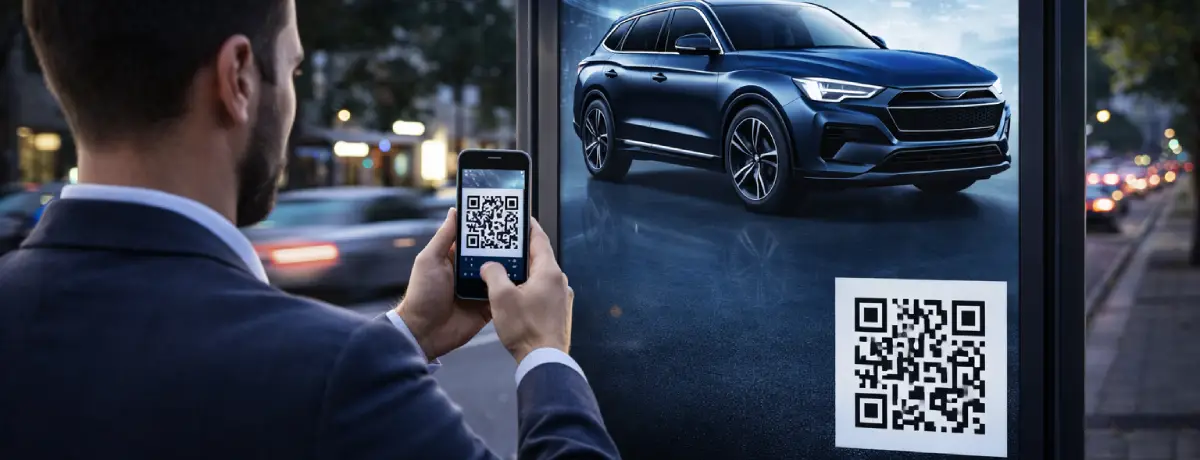
What Is a QR Code and How Does It Work?
A QR code (Quick Response Code) is a two-dimensional barcode originally developed in Japan in 1994 for the automotive industry. Unlike traditional one-dimensional barcodes, this matrix of black-and-white squares carries data both horizontally and vertically.
A QR code can contain a wide variety of data — URLs, plain text, email addresses, phone numbers, or app download links. Your smartphone’s camera or a dedicated QR reader app decodes the pattern in milliseconds and directs you to the relevant content.
QR codes come in two basic types:
- Static QR Codes: The content cannot be changed after creation. Usually generated for free, but you cannot track how many times they have been scanned.
- Dynamic QR Codes: Advanced codes that let you update the destination at any time and monitor scan statistics. Easily created and managed through qrcodeg.com.
Is Scanning a QR Code Actually Dangerous?
The most honest answer is this: scanning a QR code is not inherently dangerous. That said, it doesn’t mean there are no risks at all. The following comparison helps put things in the right perspective:
Scanning a QR code is fundamentally the same as typing something into Google and clicking on one of the results. It takes you to a web page. The real danger depends on what you do on that page.
— qrcodeg.com Security Perspective
Just as blindly clicking on search results carries risk, a user who scans random QR codes and acts carelessly on the opened page faces similar dangers. The problem lies not in QR technology itself, but in user behaviour.
Turkey’s data protection authority, the Personal Data Protection Authority (KVKK), described this technology in its official report not as a tool to be banned, but as one that should be used with awareness.
Main QR Code Security Risks
The source of risk is almost always the same: fake QR codes created by malicious actors. According to reports from Kaspersky, WatchGuard, and KVKK, the main threats are:
- 🎣Phishing / QuishingQR codes that redirect to fake bank, courier, or shopping sites to steal usernames, passwords, and financial details. This technique is specifically known as quishing.
- 💀Malware DownloadsScanning a QR code can trigger a malicious app or file download in the background. This risk is significantly higher with codes that redirect outside official app stores.
- 💳Payment FraudIn physical locations such as car parks, restaurants, or events, fraudsters can place a fake QR code sticker over a legitimate one, causing users to send money to the wrong account.
- 📡Connecting to a Rogue Wi-Fi NetworkA malicious QR code can connect your device to an unsecured Wi-Fi network, enabling all your network traffic to be monitored.
- 📅Unauthorised Calendar / Email ActionsSome malicious codes can add fake events to your calendar app or create email drafts on your behalf, opening the door to broader social engineering attacks.
⚠️ EXTRA CAUTION IN PHYSICAL ENVIRONMENTS
Fraudsters can place stickers containing their own QR codes over legitimate ones. Before scanning any code, check whether there is an additional label or any sign of tampering on top of it.
Quishing: Phishing Attacks via QR Codes
Quishing (QR + Phishing) is one of the fastest-growing cybersecurity threats in recent years. What sets it apart from traditional phishing is that the malicious link is hidden inside a visual square rather than plain text — which means many email security filters fail to flag these codes as suspicious.
1,386
QR code fraud cases reported in 2024 (United Kingdom only)
Source: Teknomers / Action Fraud
13×
Growth since 2019 (from ~100 cases to 1,386)
Source: Teknomers
2030
QR payment market expected to reach $33 billion
Source: Grand View Research
According to the KVKK report, quishing attacks particularly exploit a sense of trust. QR codes designed to impersonate a reputable institution or brand catch users off guard. Kaspersky experts have also documented a rise in QR-based phishing attempts that mimic banks and digital streaming platforms.
🔍 3 Key Differences Between Quishing and Traditional Phishing
- 1) The link is hidden inside a visual, so it cannot be inspected with the naked eye before scanning.
- 2) Email security filters and antivirus software cannot always analyse the QR image for malicious content.
- 3) It can be deployed just as easily in physical environments (bus stops, restaurants, lifts, notice boards).
How to Protect Yourself as a Conscious User
Avoiding QR codes entirely is neither possible nor necessary. What matters is developing digital literacy and becoming an informed user. Here are the practical security steps:
Before Scanning
- Check who created the code: is it an unknown source or a trusted organisation?
- If it is a physical code, check whether there is a sticker, damage, or any sign of tampering on top of it.
- Be sceptical of codes that create urgency, such as “offer expires soon” messages.
Immediately After Scanning
- Read the URL carefully and verify it contains the real brand name.
- Even if you see an HTTPS padlock, check the full address bar.
- If the page redirects you somewhere unexpected, close it immediately.
Never Do These on the Opened Page
- Do not enter credit card, bank account, or password details (unless you are 100% certain of the source).
- Do not share personal information such as national ID number or home address.
- Do not approve unexpected app or file download requests.
- Do not blindly accept permission requests for camera, contacts, or SMS access.
General Device Security
- Keep your operating system and apps up to date; updates patch known vulnerabilities.
- Install a trusted antivirus application on your mobile device.
- Prefer QR reader apps that show a URL preview before opening.
✅ The Golden Rule
If you do not share any personal or financial information and do not download any files on the page that opens after scanning a QR code, you have eliminated the vast majority of the risk — just like clicking a result in a search engine.
Security Advantages of Local QR Code Services
When choosing a QR code generator, you should look not only at the feature list but also at who is managing that code behind the scenes. Choosing a locally based service like qrcodeg.com offers concrete security advantages:
Native Language Support
When a security concern arises or you urgently need to deactivate a code, you can reach a support team that speaks your language instantly. Foreign services typically offer only email support, and the time lost can have critical consequences.
Data Protection Compliance
Local companies processing data under applicable data protection laws fully safeguard users’ legal rights. In the event of a data breach, legal proceedings can be initiated far more easily and quickly.
Local Data Storage
When your data is stored on local servers, both legal oversight and physical security assurances are in place. The risks associated with international data transfers are eliminated entirely.
Project-Based Solutions
Custom solutions can be developed to meet the specific needs of businesses, including the option to host the service on the company’s own servers where required — ensuring full data protection compliance.
How Is Your Data Protected at qrcodeg.com?
There are several important security layers specifically designed for QR codes created through qrcodeg.com:
Inactive Codes Are Never Deleted or Reassigned
A dynamic QR code you create on qrcodeg.com remains in the system for an extended period and is never transferred to another user, even if your subscription expires or the code becomes inactive. This is a surprisingly important — yet frequently overlooked — security layer.
ℹ️ Why Does This Matter So Much?
Some international services pool inactive or cancelled codes after a certain period and reassign them to different users. This means QR codes printed on your old brochures, business cards, or posters could start redirecting to content that has nothing to do with you — or worse, content that is actively harmful.
You’re in Control with the Real-Time Management Panel
You can update where your dynamic QR code redirects at any moment. If you have a security concern, you can deactivate the code within seconds or change the destination URL — no need to reprint your physical materials.
Detect Unusual Activity with Scan Statistics
Statistics showing when, where, and from which device your dynamic codes were scanned allow you to spot suspicious or abnormal activity early.
Restoran menüsündeki QR kodu güvenli mi?
Tanıdığınız bir restoranın masasında gördüğünüz QR kod büyük olasılıkla güvenlidir. Şüphe duyduğunuzda fiziksel olarak üzerine yapıştırılmış ek bir etiket olup olmadığını kontrol edin ya da garsondan URL’yi doğrudan söylemesini isteyin. Meşru restoran menüleri sizi kişisel bilgi girmeye yönlendirmez.
Dinamik QR kodlar statik kodlara göre daha mı riskli?
Dinamik kodların içeriği sonradan değiştirilebildiği için teorik bir risk barındırır; ancak aynı zamanda çok daha yönetilebilirdir. Profesyonel bir hizmet üzerinden oluşturulan dinamik kodlar, gerçek zamanlı yönetim ve anlık devre dışı bırakma imkânı sunduğu için güvenlik açısından orada avantajlıdır.
Telefon numarasına veya e-postama yönlendiren QR kod zararlı mıdır?
Bu tür kodlar genellikle iletişim kolaylığı sağlamak için kullanılır. Kaynağını tanıdığınız sürece iletişim amaçlı QR kodlar tehlikeli değildir. Yine de yönlendirme sonrasında kişisel bilgi paylaşmamak ve beklenmedik izin isteklerini onaylamamak temel kurallar olarak geçerliliğini korur.
QR kodu taradıktan sonra açılan sayfa şüpheli görünüyorsa ne yapmalıyım?
Sayfayı hemen kapatın, herhangi bir bilgi girmeyin ve hiçbir butona tıklamayın. Ardından cihazınızı yeniden başlatmanız önerilir. Eğer kuruma ait gerçek bir kod olduğunu düşünüyorsanız, ilgili kurumla doğrudan iletişime geçerek URL’yi teyit edin.
Kendi işletmem için QR kod oluştururken nelere dikkat etmeliyim?
Profesyonel ve güvenilir bir yerli platform kullanın. Dinamik QR kod tercih edin; böylece gerektiğinde içeriği güncelleyebilir ya da kodu devre dışı bırakabilirsiniz. Tarama istatistiklerini düzenli takip edin ve fiziksel materyallerinizdeki kodların üzerine yabancı etiket yapıştırılıp yapıştırılmadığını periyodik olarak kontrol edin.
Güvenli, Yerli QR Kodunuzu Oluşturun
qrcodeg.com ile Türkçe destekli, KVKK uyumlu, tamamen yönetilebilir dinamik QR kodlarınızı hemen oluşturun.
Create Your Secure QR Code
Get started with qrcodeg.com — dynamic QR codes with full management, real-time statistics, and dedicated support.
References
1 Personal Data Protection Authority (KVKK) — QR Code Security Warning Report — kvkk.gov.tr
2 Teknomers — QR Code Phishing Cases on the Rise: Over 1,300 Victims in 2024 — teknomers.com
3 Kaspersky — Security Risks in QR Codes — kaspersky.com
4 WatchGuard / HaberTürk — What Risks Does QR Code Usage Bring? — haberturk.com
5 Secure Fors — Cybersecurity Risks of QR Codes and How to Stay Protected — securefors.com
6 Grand View Research — QR Code Payment Market Forecast 2030 — grandviewresearch.com
7 Gazete Oksijen — How Safe Are QR Codes? — gazeteoksijen.com