


📱 QRCodeG mobile app
Safe QR Code Scanner App
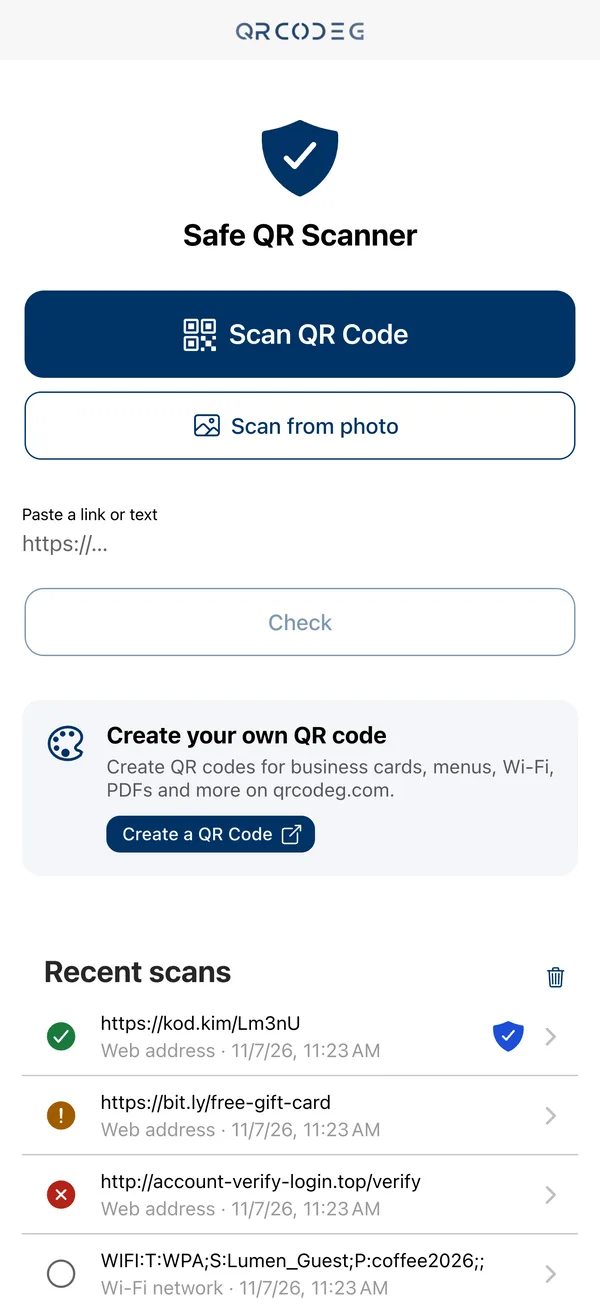
See where a QR code really leads before you open it. QRCodeG follows redirects, flags known malicious links, warns you about phishing tricks and shows codes created with Qrcodeg as verified.
- Links never open without your confirmation
- No account, no ads
- Scan history stays on your phone
Coming soon to the App StoreHow it works
Free for iPhone · Android version in progress
What Is the QRCodeG App?
QRCodeG is our free mobile app for scanning QR codes safely. A typical scanner opens the link as soon as it reads the code. QRCodeG checks where the link leads first, shows you the result and leaves the decision to open it to you. Whether it is a menu code on a restaurant table, a payment sticker in a car park or a QR code in an email, you know where it goes before you open it.
Safe Scanning in 3 Steps
1
Scan
Scan the QR code with your camera or pick a photo from your gallery. If you only have a link, paste it and have it checked.
2
See the result
The app follows redirects to find the final address, looks it up in known malicious-link lists and checks it for phishing signs.
3
You decide
You see where you will go, the result and the reasons. The link opens only when you tap “Open”.
A Clear Result Before You Open
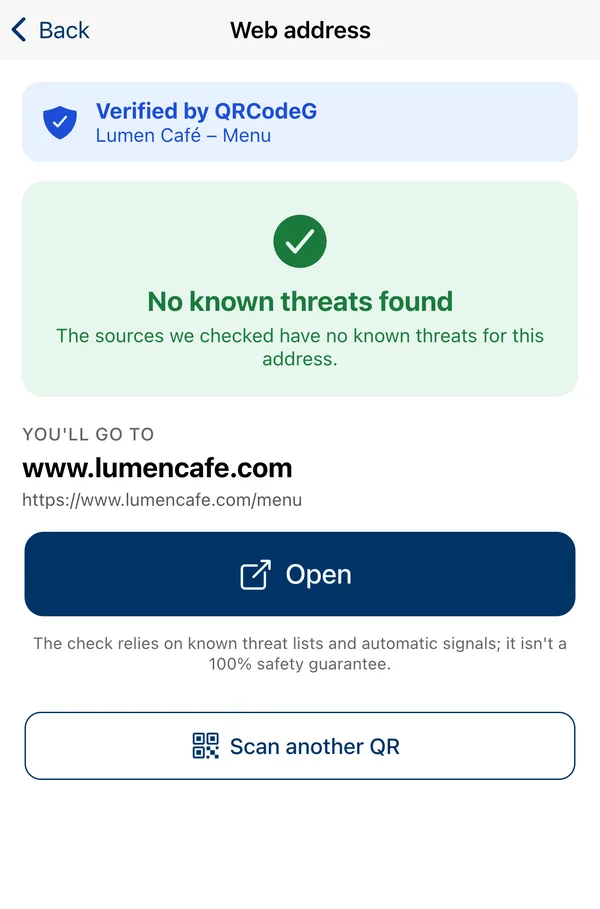
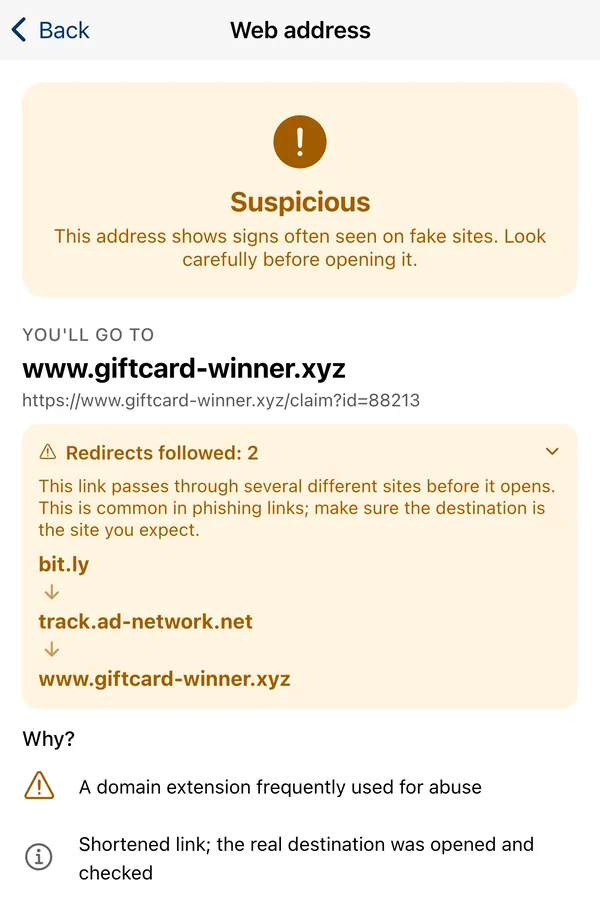
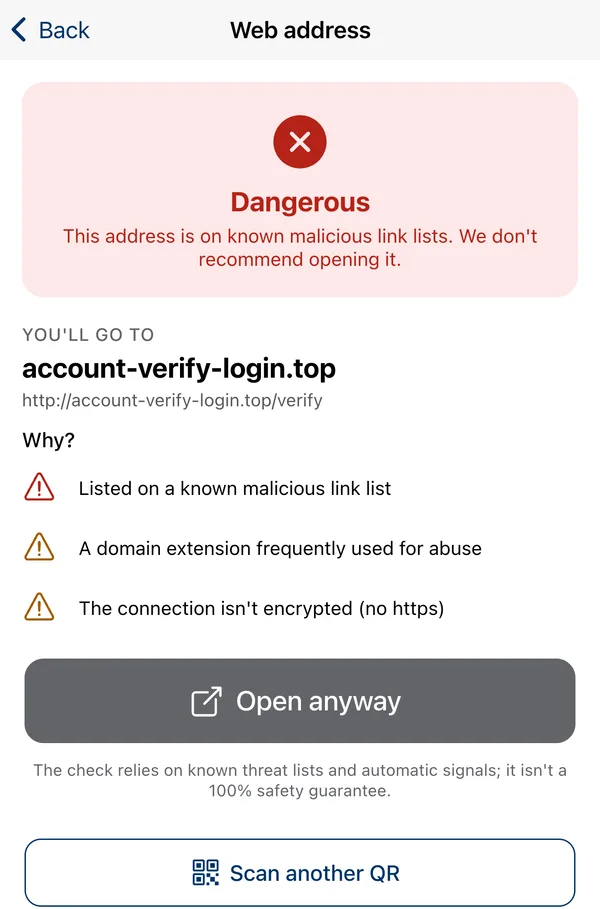
Every check ends with one of four results. We never claim a link is “safe”, and we always tell you why.
If the address can’t be fully checked at that moment (no internet, or the site doesn’t respond), you’ll see Couldn’t be checked. The check relies on known threat lists and automatic signals; it isn’t a 100% safety guarantee.
Why the QRCodeG App?
Redirects Followed
Short links and redirects are followed before anything opens; every site on the way and the final address are shown.
Malicious Link Check
The address is looked up in lists that collect known malware links.
Phishing Warnings
Warns about look-alike domains, fake sites using brand names, unencrypted connections and risky domain extensions.
Verified by QRCodeG
Codes created with Qrcodeg are shown with a badge and the QR’s own title and image, so you know the code is registered and active.
More Than Links
Wi-Fi details, contact cards, phone numbers, SMS, email, locations and text are shown clearly before any action. Payment requests always come with a warning.
Respects Your Privacy
No account, no ads, no tracking. Your scan history stays on your phone and you can delete it at any time.
For Qrcodeg Customers: Your Code Shows as Verified
When QR codes you created with Qrcodeg are scanned in the app, they appear with the “Verified by QRCodeG” badge and your QR’s preview title and image. Your customers know the code really leads to your page. Your account details are never shown, and checks in the app aren’t added to your scan statistics; only opening the code counts.
Frequently Asked Questions
Is the QRCodeG app free?
Yes. The app is free, with no in-app purchases and no ads.
Do I need an account?
No. Download the app and start scanning right away.
Which phones does it work on?
The iPhone version is coming soon to the App Store. An Android version is in progress.
Does the app guarantee that a link is safe?
No. The check relies on known threat lists and automatic signals; a brand-new fake site may not be on any list yet. That’s why we say “No known threats found” instead of “safe” and leave the decision to open the link to you.
Are the links I scan stored?
If the scanned content is a web address, only that address is sent to our servers to be checked. The result is kept in server memory for up to 10 minutes, isn’t written to a database and isn’t linked to you. Your scan history is stored only on your phone. Details are in our Privacy Policy.
Which QR codes can it read?
It recognises QR codes containing web addresses, Wi-Fi details, contact cards (vCard and MECARD), phone numbers, SMS, email, locations, payment requests and plain text, and shows each one clearly before any action.
What does the “Verified by QRCodeG” badge mean?
It shows that the code you scanned is a registered and active QR code on Qrcodeg. The badge comes with the QR’s preview title and image. The code owner’s account details are not shown.
Can I create QR codes with the app?
Not at the moment; the app is for scanning and checking. You can create and manage your QR codes at qrcodeg.com.
Which languages does the app support?
English, Turkish, Spanish and French. The app opens in your phone’s language.